COCA tokens can be bought directly in the app.
To proceed:
1. Open the Crypto tab and tap on COCA balance 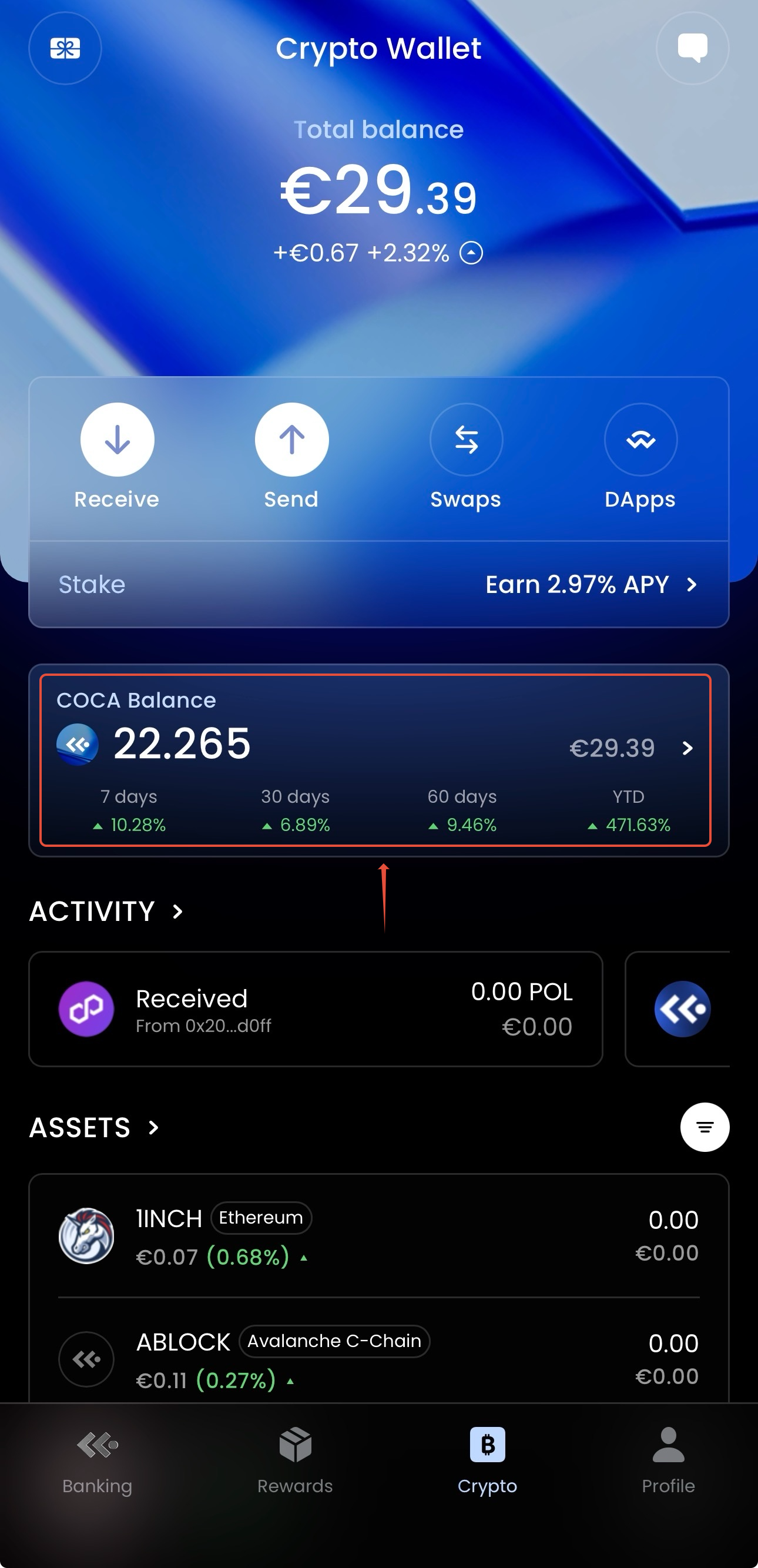
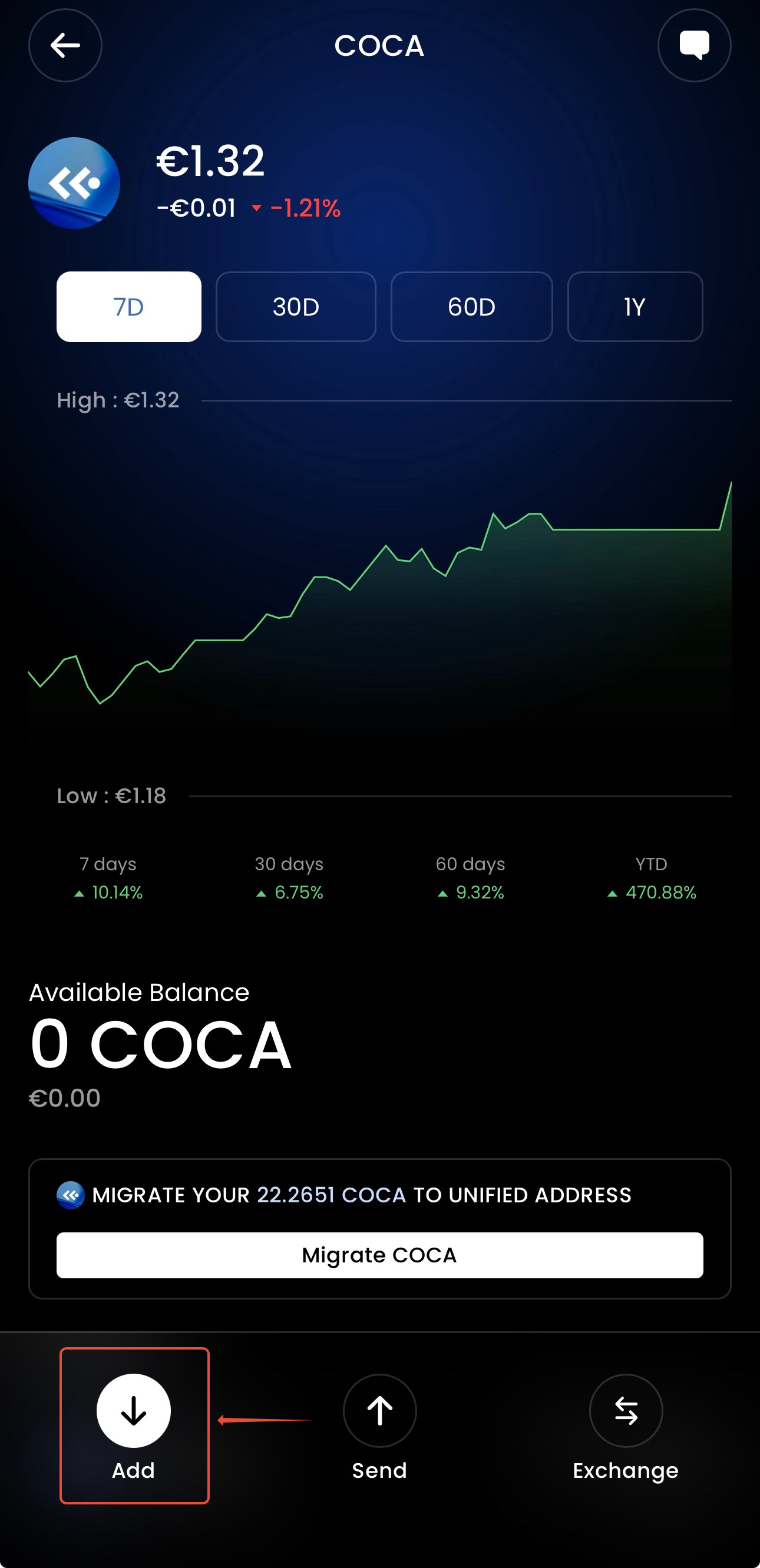
2. Tap on the "Add" button.
3. Choose "Buy" option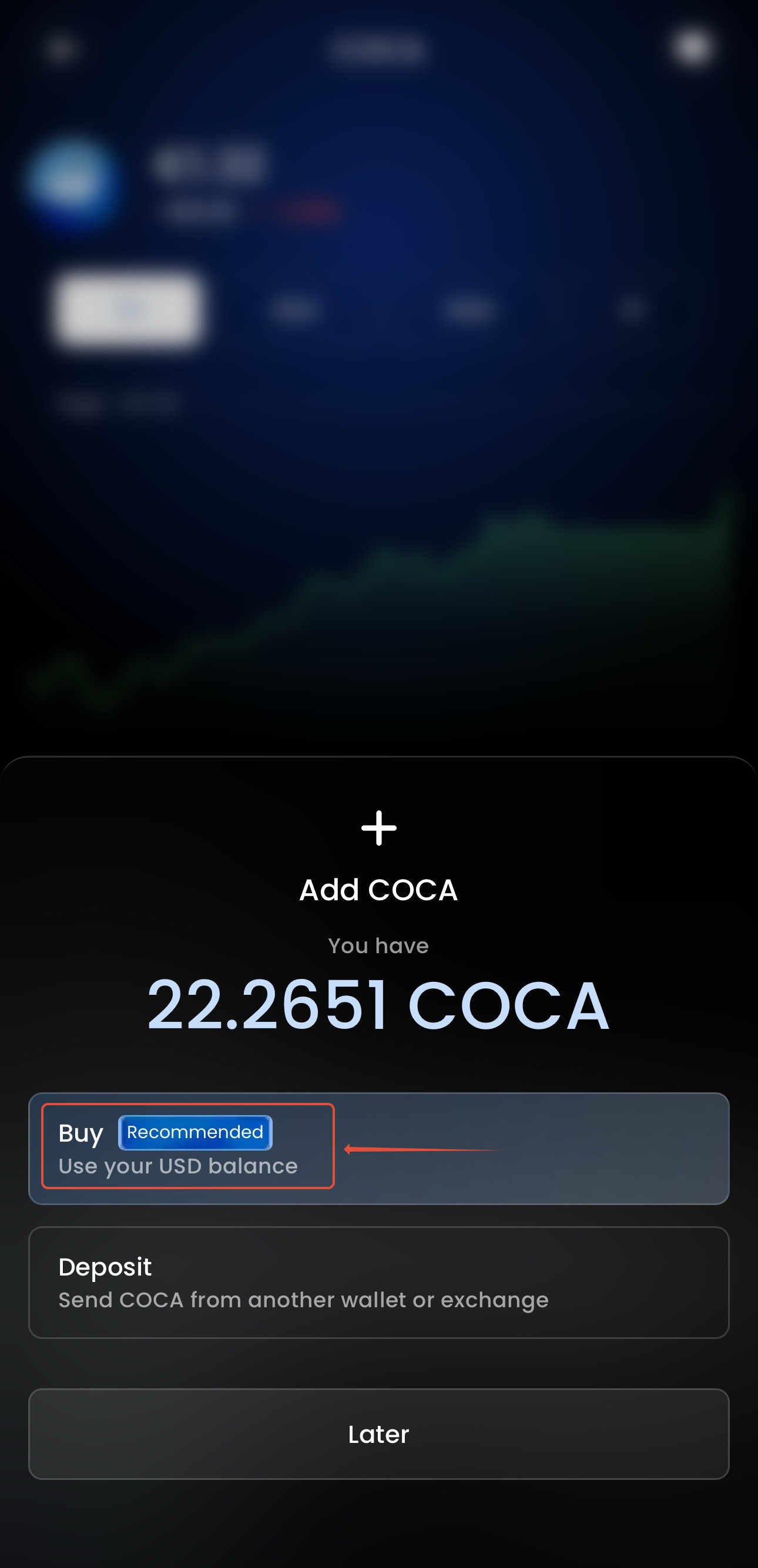
4. Select the needed amount and press "Continue"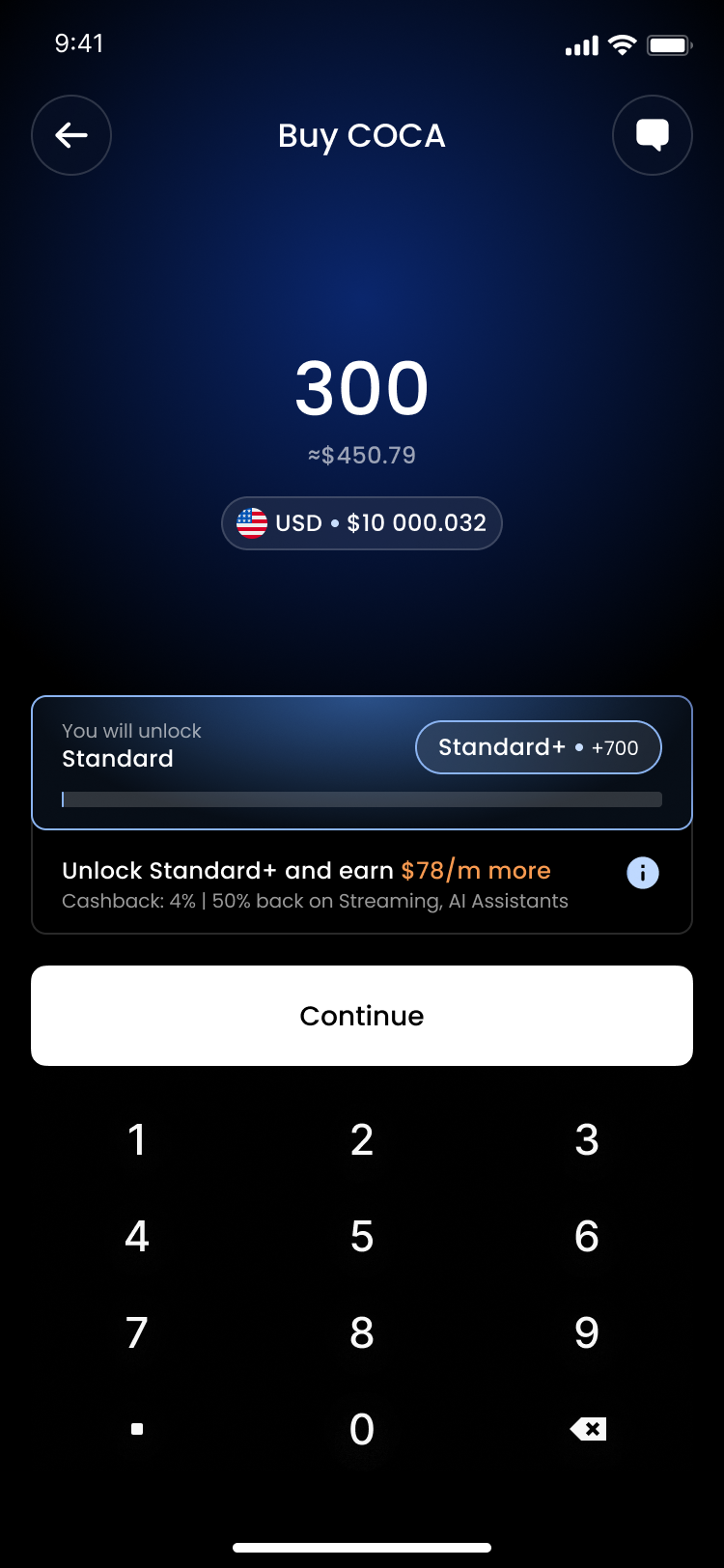
5. Confirm your transaction.
Important notice: there is a limit of 6000 COCA tokens per transaction; however, there is no limit on the number of transactions you can make.
COCA tokens can also be bought outside the app
Step 1: Purchase COCA on Exchange
COCA tokens are available on the following exchange using the COCA/USDT trading pair:
Step 2: Transfer to Your COCA Wallet
After purchasing COCA tokens:
Open your COCA app and go to the Crypto section
Select Receive
Choose COCA from the token list
Copy your Base network address
Withdraw your COCA tokens from the exchange to this copied address
⚠️ Important: Ensure you're using the Base network when withdrawing from the exchange to avoid losing your tokens.
Was this article helpful?
That’s Great!
Thank you for your feedback
Sorry! We couldn't be helpful
Thank you for your feedback
Feedback sent
We appreciate your effort and will try to fix the article